Showing posts with label Software for PC. Show all posts

An iPhone multimedia manager

Create personal ringtones from MP3 songs for the iPhone. iPhone Explorer will enable you to download or upload music, photos, videos or ringtones from or to your iPhone.


Search engine to find your favorite music and video artists, titles, genres, album, title of a year and much more. Explore the iPhone file system. Use the iPhone as USB-Stick.

Requirements:

· Microsoft .NET Framework 3.5
· iTunes


Direct Download ....


Read more...

LAN Speed Test

Posted by Hamza | 3:40 AM | | 0 comments »

A useful Local Area Network speed tester

LAN Speed Test is a utility designed to accurately measure LAN speeds. It does this by writing a file (you choose the size) to a folder (again you choose), clears windows file cache (otherwise read times would be skewed with results way too high), reads the file back, clears the cache again, deletes the file, and displays the results.
Get LAN Speed Test and take it for a test drive to see what it's really capable of!


Direct download !!!


Read more...

A powerful tool that helps you to uninstall software and remove unwanted programs

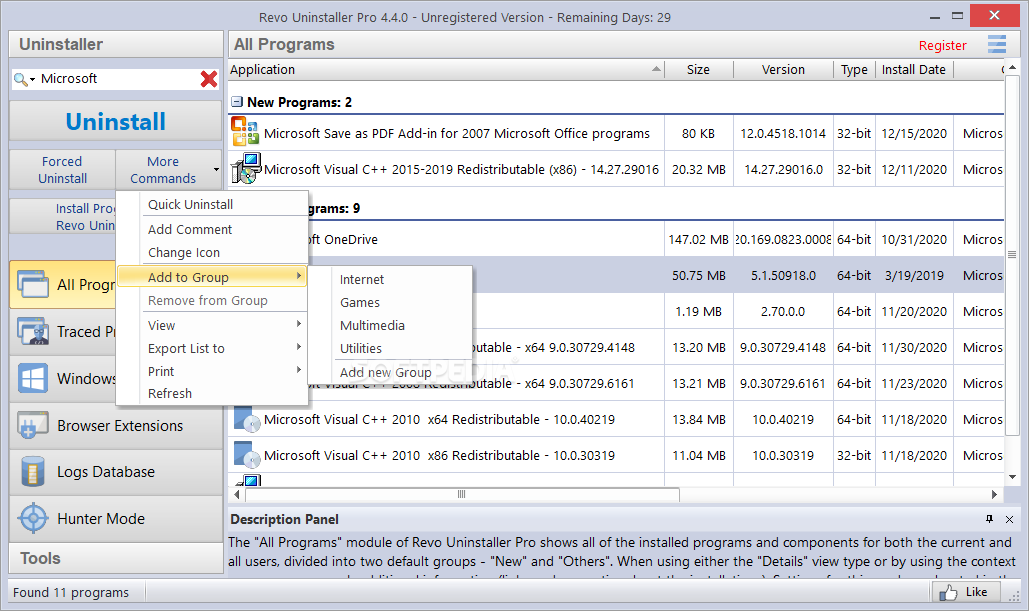
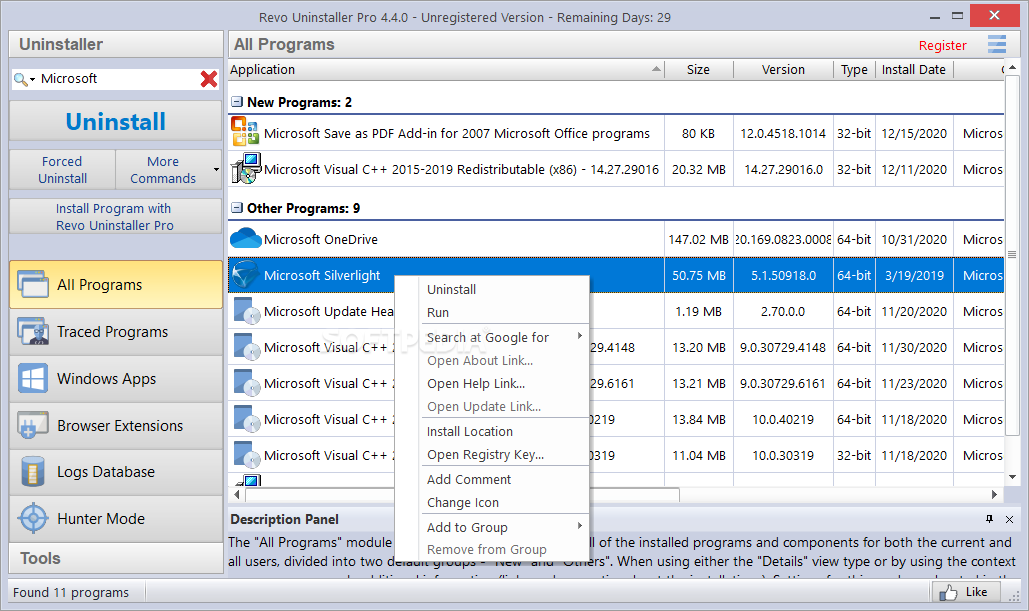
Revo Uninstaller Pro is an easy-to-use yet very powerful program that will help you uninstall and remove unwanted programs installed on your computer even if you have problems uninstalling and cannot uninstall them from "Windows Add or Remove Programs" control panel applet.
Revo Uninstaller Pro is a much faster and more powerful alternative to "Windows Add or Remove Programs" applet! It has very powerful features to uninstall and remove programs.
Here are some key features of "Revo Uninstaller Pro":

Scanning for leftovers after uninstall:
· With its advanced and fast algorithm, Revo Uninstaller analyzes an application's data before uninstall and scans after you uninstall a program. After the program's regular uninstaller runs, you can remove additional unnecessary files, folders and registry keys that are usually left over on your computer.

Forced Uninstall:
· Uninstall even already uninstalled programs. This feature allows you to remove leftovers of programs that are already uninstalled, incomplete installations and uninstall remnants of programs!

Real-Time Installation Monitor:
· Revo Uninstaller Pro has real-time program installation monitoring. It detects system changes during installation, so you can undone them later.

Multi-Level Backup System:
· Revo Uninstaller Pro creates backups of removed registry keys, values, files and folders. It also creates full registry backup each time you uninstall a program. With its unique "Hunter mode", Revo Uninstaller Pro offers you some simple, easy to use, but effective and powerful methods for uninstalling software. You can use it to manage your installed and/or running software programs.
Requirements:

· 300 MHz Processor
· 128 megabytes (MB) of RAM
· 20 MB of free Hard Disk space
Limitations:

· 30 days trial


Direct downlaod !!!


Read more...

An application that helps you to make multiple downloads at once from RapidShare

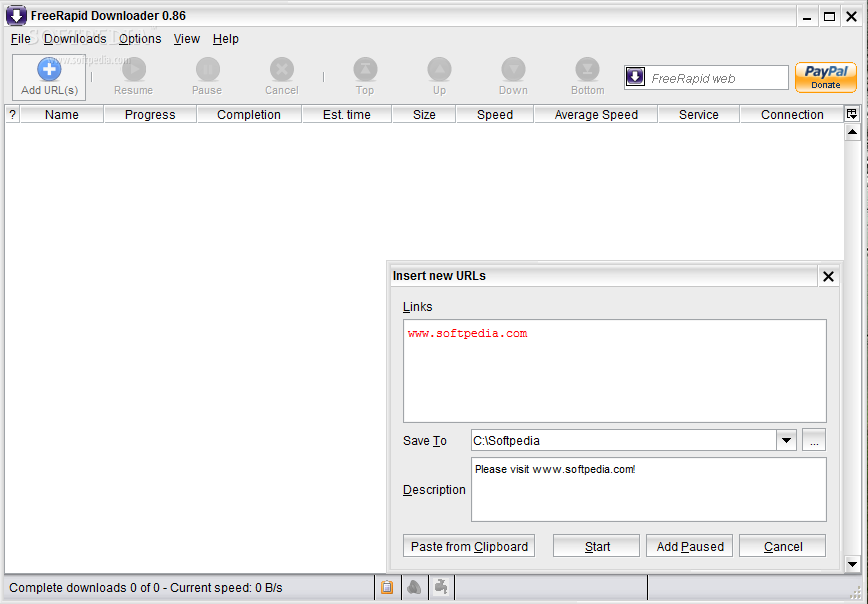
FreeRapid is my next application after Wordrider and Damaq. It's a simple Java downloader that supports downloading from Rapidshare and other file-sharing services.
Here are some key features of "FreeRapid Downloader":

· support for concurrent downloading from multiple services
· downloading using proxy list
· download history
· smart clipboard monitoring
· automatic checking for file's existence on server
· auto shutdown options
· automatic plugins updates
· simple CAPTCHA recognition
· works on MS Windows, Linux and MacOS
· easy to use
· multilanguage interface - Czech, Brazilian portuguese, Danish, English, French, German, Hungarian, Chinese, Indonesian, Italian, Japanese, Polish, Russian, Slovak, Spanish, Turkish, Ukrainian.


Direct download !!!


Read more...

An easy to use software to help you generate and save thousands of URLs
Extreme URL Generator is an easy way to generate and save a list of similar URLs.

Extreme URL Generator will provide clean and intuitive user interface that lets you generate hundreds and thousands of URLs with just a few mouse clicks.

After the URL list is generated you can save it into a text file or copy it into the Windows clipboard with another mouse click.

But this is not all! Extreme URL Generator provides you with many options when you save the generated list of URLs into a text file.

You can add prefix and suffix to every URL, save the entire list as a single line or make each URL occupy its own line in the file.

So the saved file is immediately usable by any other program like Extreme Picture Finder that lets you download and save the entire URL list automatically.

Here are some key features of "Extreme URL Generator":

· Clean and easy-to-use interface
· URL Template can have up to 3 varying numbers
· You can save the URL Template along with all the settings into the Project file and easily open it later
· Multilingual interface


Limitations:

· Save or copy up to 20 URLs
· 20 days trial


Direct downlaod !!!


Read more...

This application was designed to help you view details about your hard disk drive

The CrystalDiskInfo application was designed to help you view details about your hard disck drive.
Here are some key features of "CrystalDiskInfo":

· Show S.M.A.R.T Information
· Show HDD Information
· Change dialog design
· Internationalization (i18n)
Requirements:

· Internet Explorer 6.0 or higher
What's New in This Release: [ read full changelog ]

· Added S.M.A.R.T. detection option "Function > Advanced Feature > [DEBUG] ATA_PASS_THROUGH for S.M.A.R.T.".
· It may improved compatibility on a part of envrionment (old ATI chipset).
· But, it may cause trouble on a part of envrionment (Intel ATA driver etc...).
· So it is disabled by default and almost users do not require to enable it.
· Improved IE9 Beta support
· Updated language files
· Fixed Bugs


Direct downlaod


Read more...

Uninstall security applications such as antivirus and antispyware from your computer

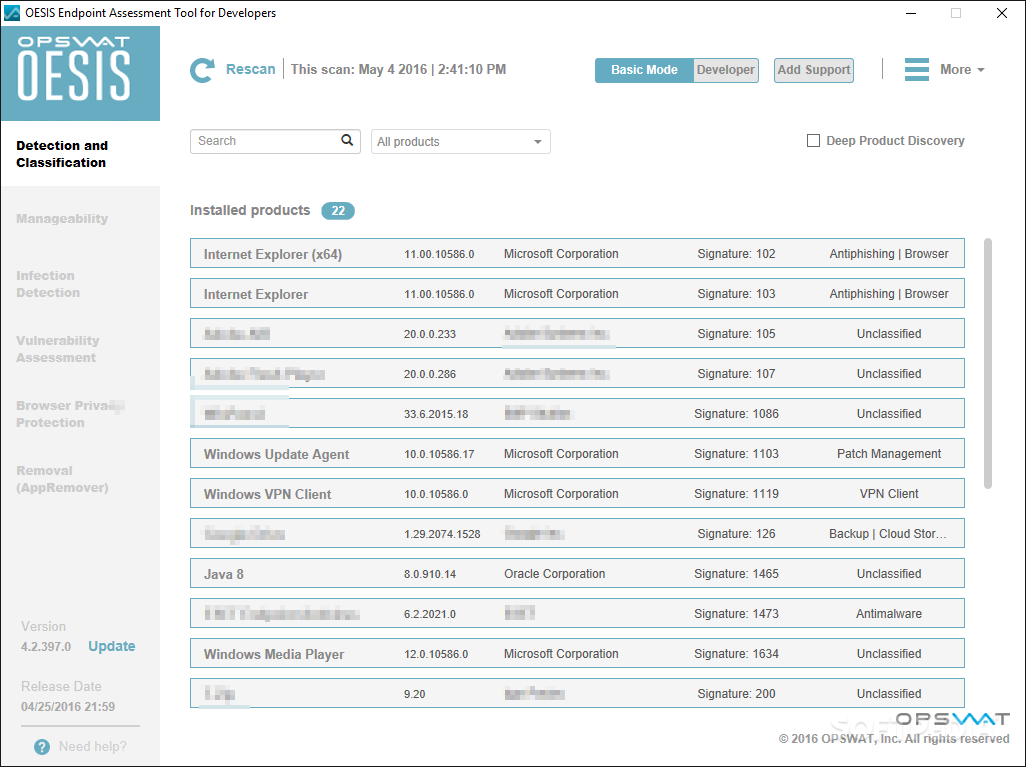
The AppRemover application will enable you to thoroughly uninstall security applications such as antivirus and antispyware from your computer. AppRemover is a free utility that can help users to completely remove applications and extraneous files left behind.
Use AppRemover:
- When replacing one security application with another
- When competing security applications tie up your computer
- When the application's built-in uninstall process fails
- When you have forgotten the application password


Uninstall the following application types:
- Antivirus
- Antispyware


NOTE: AppRemover is free for your personal, non-commercial, use.

Direct downlaod


Read more...

Cameyo lets you shrink all the files of a regular application in a single package that can be used portably on any Windows system you run it on.
The application works in a similar way as MojoPac, with the difference that the latter achieves this by installing the programs in a virtualized operating system, whereas Cameyo lets you enclose any application in its own virtual environment. Cameyo is free of charge and takes little time to install on the computer.

You have to know from the beginning that the programs resulting from virtualization process are not 100% portable as once you run them on a clean computer they will leave traces in the registry. The process used by Cameyo to virtualize, relies on system snapshots taken before and after the installation of the targeted programs.

These help determine the data the installed program requires in order to function properly. Next step consists in building up a package with all these files and create an executable file that launches them all on the host computer.

Cameyo’s interface is extremely simple, as it features only two options: start the installation capture and edit an existing package. These options can also be found separately in Tools folder of the application in the Start menu.

The first part in the virtualization process does not take too much time to complete. During our tests the taking the initial snap of the system state required about two minutes to complete. Next follows the actual installation of the target program and configuring it to fit your needs.

As far as the post-installation system snapshot is concerned, at each of our attempt this took quite some time. Its completion depends on the amount of the data added to the system. The software set used during our tests included FileZilla, uTorrent, Google Chrome and Maxthon 3.

For the first one we waited 7 minutes for the post-installation snapshot to complete, the second took the same, Chrome required about 6 minutes and Maxthon 3 lags behind with a total of 14 minutes. While taking the system snapshots it is advisable not to use your computer at all as this influences the resulting virtual package directly. Every move you make on the system drive between the two snapshots is recorded and added to the final result.


Direct download


Read more...

For a long time, hard disks failures were like earthquakes: you would never know when disaster would strike. Save for some hints that were generally overlooked or not detected by most users, such as sluggish read/write operations, transfers completed with errors or strange sounds coming from the computer box, nothing would give away the fact that the hard disk was spinning its platters for the last time.
Fortunately, those days are gone and predicting drive failure is a simple matter of taking a look at the S.M.A.R.T. (Self-Monitoring, Analysis and Reporting Technology) attributes readings. Software capable of offering this feature come in different shapes and sizes, but there is a newcomer in town, which combines disk failure warnings with backup alerts. This way, you can keep track of storage devices on the brink of collapsing and copy data off them to a different, problem-free unit.

This sort of tool has been recently introduced to users by Acronis and it is called simply Drive Monitor. The application is absolutely free of charge and comes as a 17.3MB package, which installs quickly, without complications on the system.

Simplicity and ease of use are the main attributes for the interface design and the way the application has been constructed. You can easily navigate from one section to another while the configuration panel poses no obstacle, not even for less experienced users. All the menus roll down in the left hand side of the interface and provide details about monitored disks, backup state and critical events. There is also a “Summary” page listing general information on the status of the three monitored areas (Disks, Backups and Critical events) giving you a warning in case something is not okay.


Direct download


Read more...

Via 4SharedDesktop you can easily manage the files in your 4shared online account. The application gives you almost instant access to the data you have stored on the 4shared high-speed servers. It allows you to organize your stored items in folders, move them around, download them to your computer or upload new ones to your account.Creating a free 4shared online storage account lets you backup no less than 10GB of data to their servers and grants you access to it whenever you want. The service keeps up with today’s needs, so sharing data with others is present on its feature list. And so is synchronization of the items across multiple computers with the online account.

Installing 4sharedDesktop is a cinch, but some attention is required if you do not want 4shared toolbar to be installed automatically in Internet Explorer or Mozilla Firefox and have the homepage changed, as well as your default search engine. If you get over this bump, there is nothing to worry about until the end of the installation process. Creating a free 4shared online storage account lets you backup no less than 10GB of data to their servers and grants you access to it whenever you want. The service keeps up with today’s needs, so sharing data with others is present on its feature list. And so is synchronization of the items across multiple computers with the online account.

Installing 4sharedDesktop is a cinch, but some attention is required if you do not want 4shared toolbar to be installed automatically in Internet Explorer or Mozilla Firefox and have the homepage changed, as well as your default search engine. If you get over this bump, there is nothing to worry about until the end of the installation process.

If you’re not the proud owner of a 4shared account, there is no problem; you can create one via the login screen of the application. All you need for a free account is a valid email address and to type in a password of your choice.

Managing your online data is done through an interface with a striking resemblance to Windows Explorer. It's no coincidence as this pattern ensures that working with it is nothing but an easy job. The folder tree in the left hand part of the application window lets you navigate the directory easily, and upon selecting an item its contents are displayed in the right hand part of the screen.

A third window in the interface is reserved for viewing upload or download activities. It comes with information on the job like size of the file, completion progress, time elapsed since job start and upload/download speed. Management of the tasks is ensured by the context menu options which let you start the process, pause it or move it the job up and down in the list.
Filling up the 10GB of online storage can be done by manually by browsing to the file’s location on the computer, or you can choose the easy drag and drop way. This works for files and folders alike. Folders and sub-folders are created automatically.


And now let's DOWNLAOD >>>


Read more...